🚀 Free Public Beta — All Features Included, No Account Required

Visual automation
for the real world.

Nodlyn is a visual automation platform that lets anyone build powerful automations without writing code. Drag blocks, connect them, press save — your workflow runs 24/7. Connect smart devices, AI models, APIs, databases, and 350+ blocks. Available as a desktop app or a cloud admin panel.

First time here? Follow the 3-step guide — up and running in under 5 minutes. The platform ships with 350+ connectors & blocks, 230+ templates, industrial protocols (including Matter and CAN Bus), AI agents, document OCR/PDF pipelines, and more — with new components every release.

350+ Connectors & blocks
230+ Workflow templates
30+ Device protocols
20+ Block categories
0 Lines of code needed

Always expanding — MQTT, Modbus, OPC UA, BACnet, Matter, CAN Bus, LoRaWAN, ZigBee, Z-Wave, gRPC, Kafka, Elasticsearch, Slack, circuit breakers, JWT, PDF/OCR, and more.

Your workflow canvas
Trigger Motion Detected
🧠
AI Classify Image
🔀
Switch Route Result
📧
Action Send Alert
💾
Action Log to DB
How it works

Up and running in
minutes

Download the desktop app or use the cloud admin — then pick from 350+ blocks, 230+ templates, or build from scratch. New integrations ship regularly.

01

Download & Install

Download the free installer for Windows. Double-click to install — takes under a minute. No dependencies, no configuration.

02

Drag, Drop & Connect

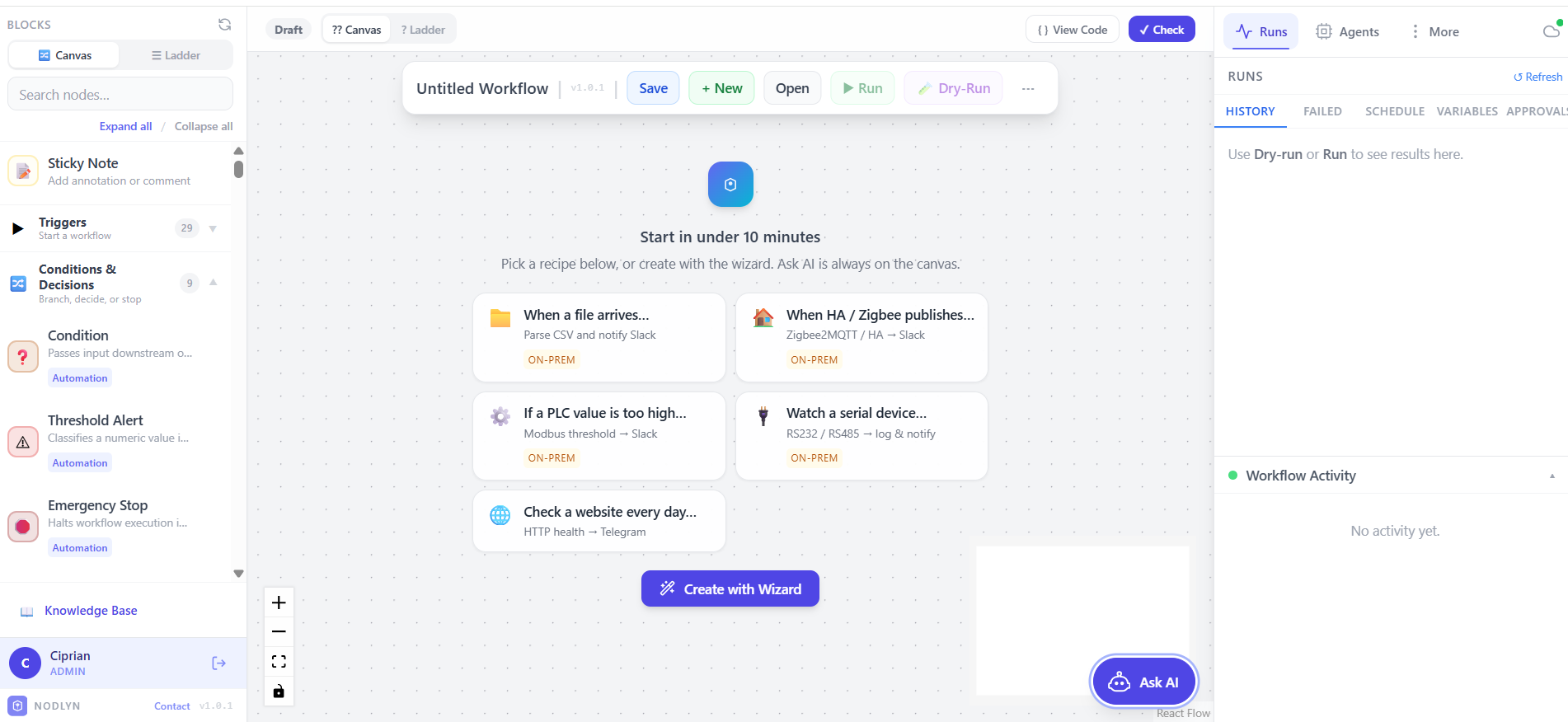
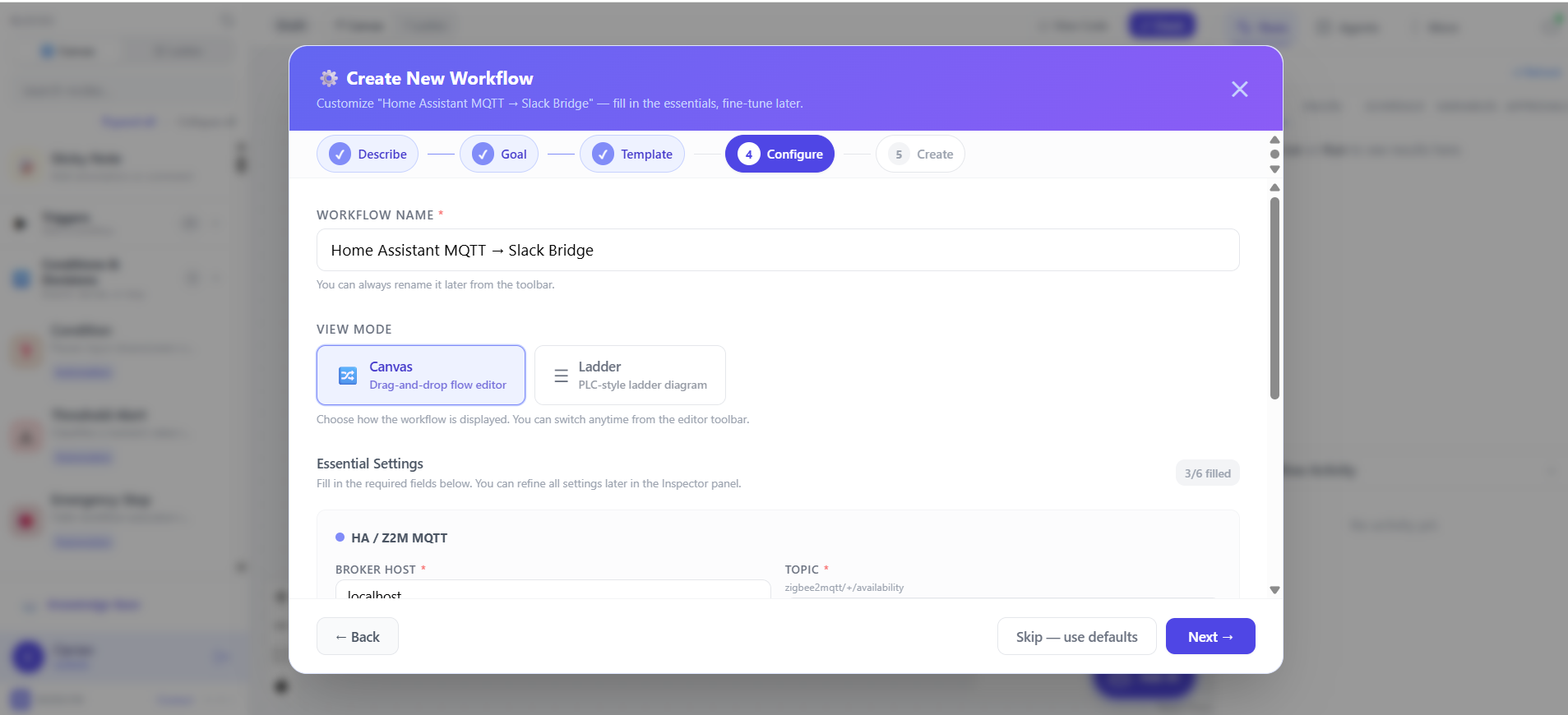
Pick blocks from the sidebar: triggers, conditions, actions, AI, IoT devices. Drop them on the canvas and connect them with lines. That's your workflow.

03

Save & It Runs 24/7

Press save. Your automation runs in the background, even when you close the editor. Get notified if something fails. Edit anytime — changes apply instantly.

Where it runs

Studio → Runtime → Cloud

Design on your PC or in the browser. Deploy standalone agents where workflows must run 24/7. Monitor from Studio or Nodlyn Cloud.

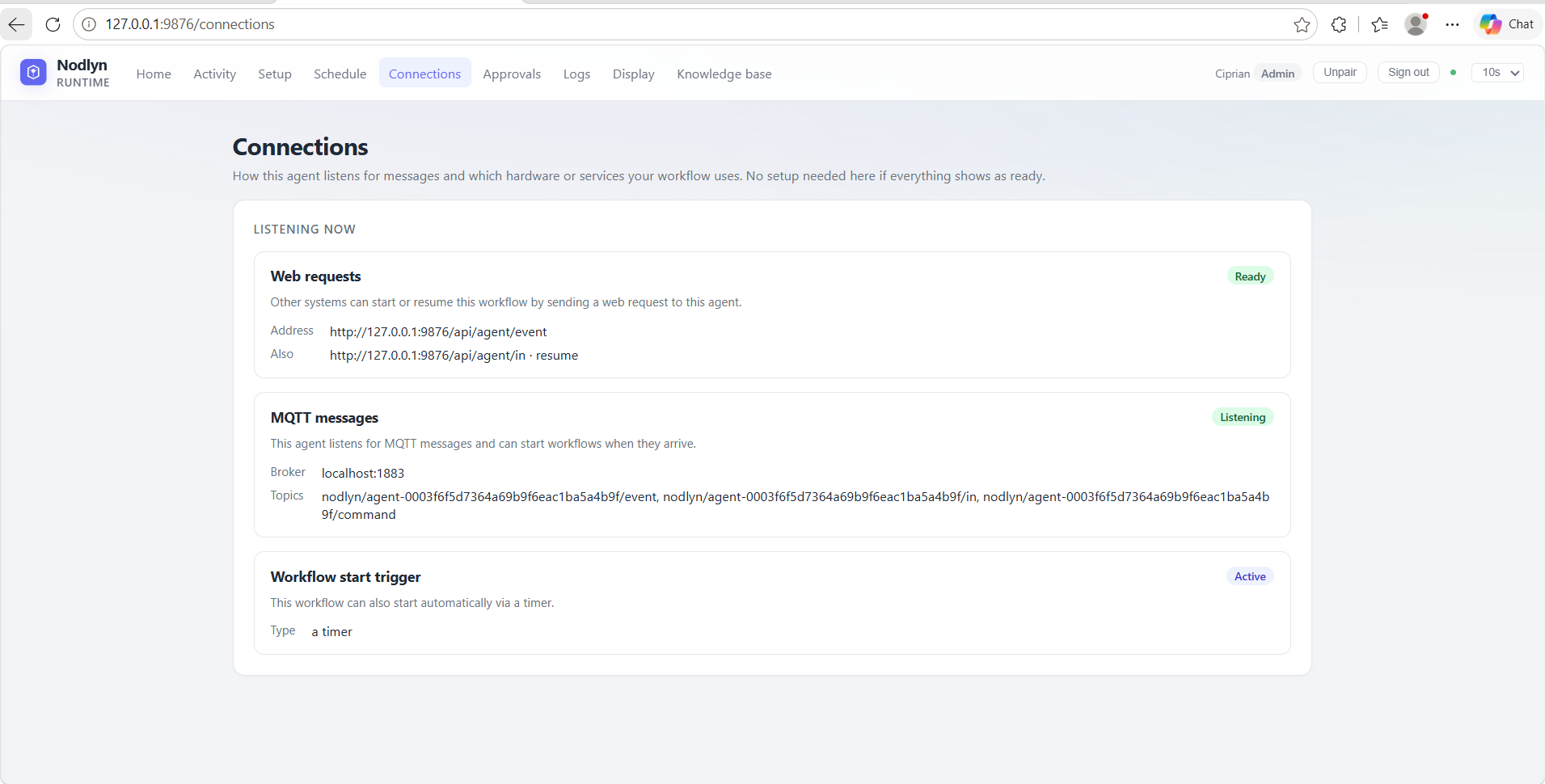
External systems (ERP, scripts, MQTT, file drops) send events to the runtime agent — not to Studio or Cloud.

FAQ

Common questions

Key capabilities at a glance — before you download or open the cloud admin.

Does Nodlyn support Matter and CAN Bus devices?

Yes. Native Matter (CSA) discovery over mDNS/UDP and CAN Bus send/receive/encode/decode (SocketCAN on Linux, simulation on Windows). Both are in device discovery and the block library — pair with triggers, conditions, and industrial ladder views.

How many templates and blocks are included?

230+ workflow templates and 350+ connectors & blocks — IoT, AI & MCP, business, DevOps, document processing, hospitality, e-commerce, and more. Everything is included in the free beta; browse them in the Templates tab.

Can Nodlyn process invoices (PDF & OCR)?

Yes. Templates watch a folder or IMAP inbox for new files, run pdf.extractText or Vision OCR, extract invoice fields (supplier, number, total, VAT), and write to SQLite — no custom code.

What happens when a workflow step fails?

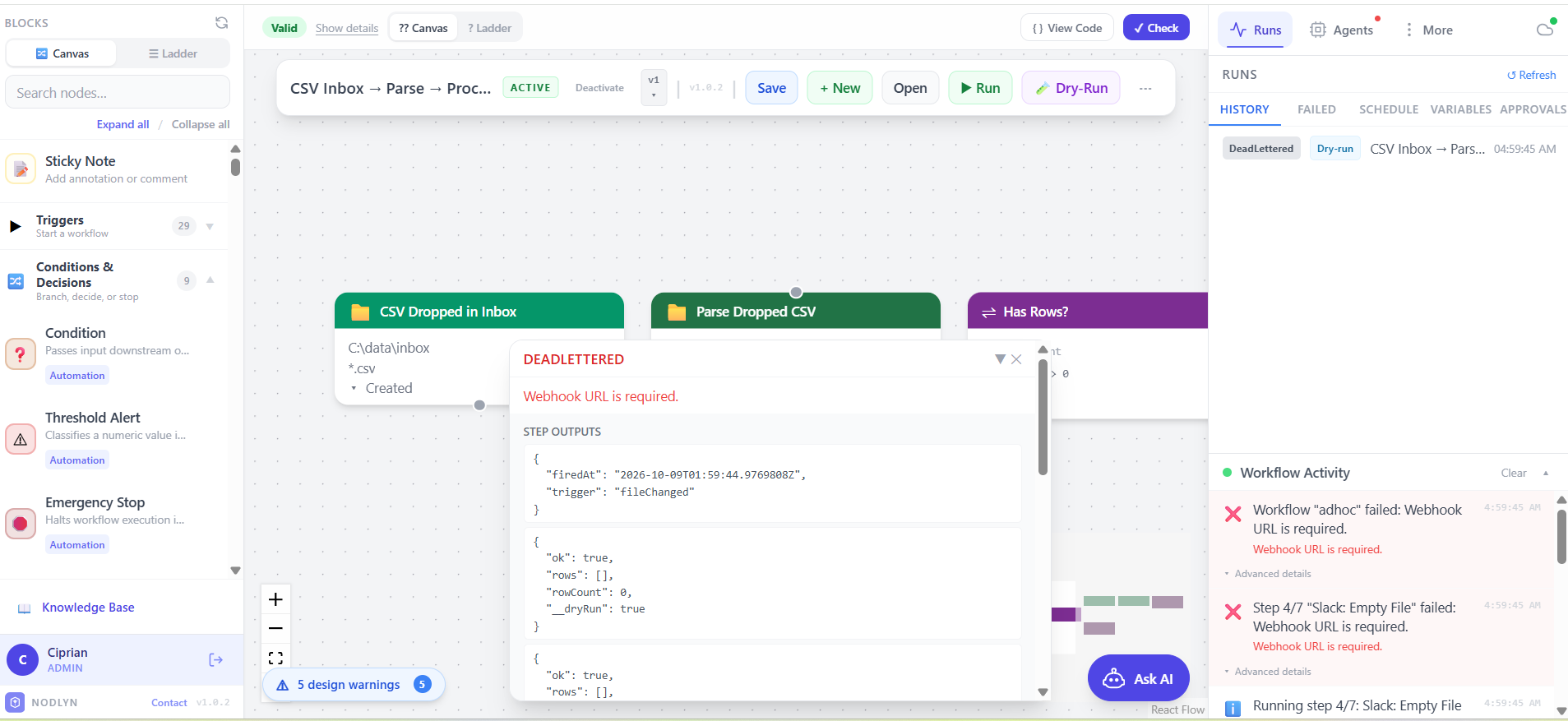
Steps retry automatically per your policy (configured when activating a trigger). After retries, the run is dead-lettered in Activity → Failed. Click Replay to re-submit the original payload instantly.

What is Dry-Run mode?

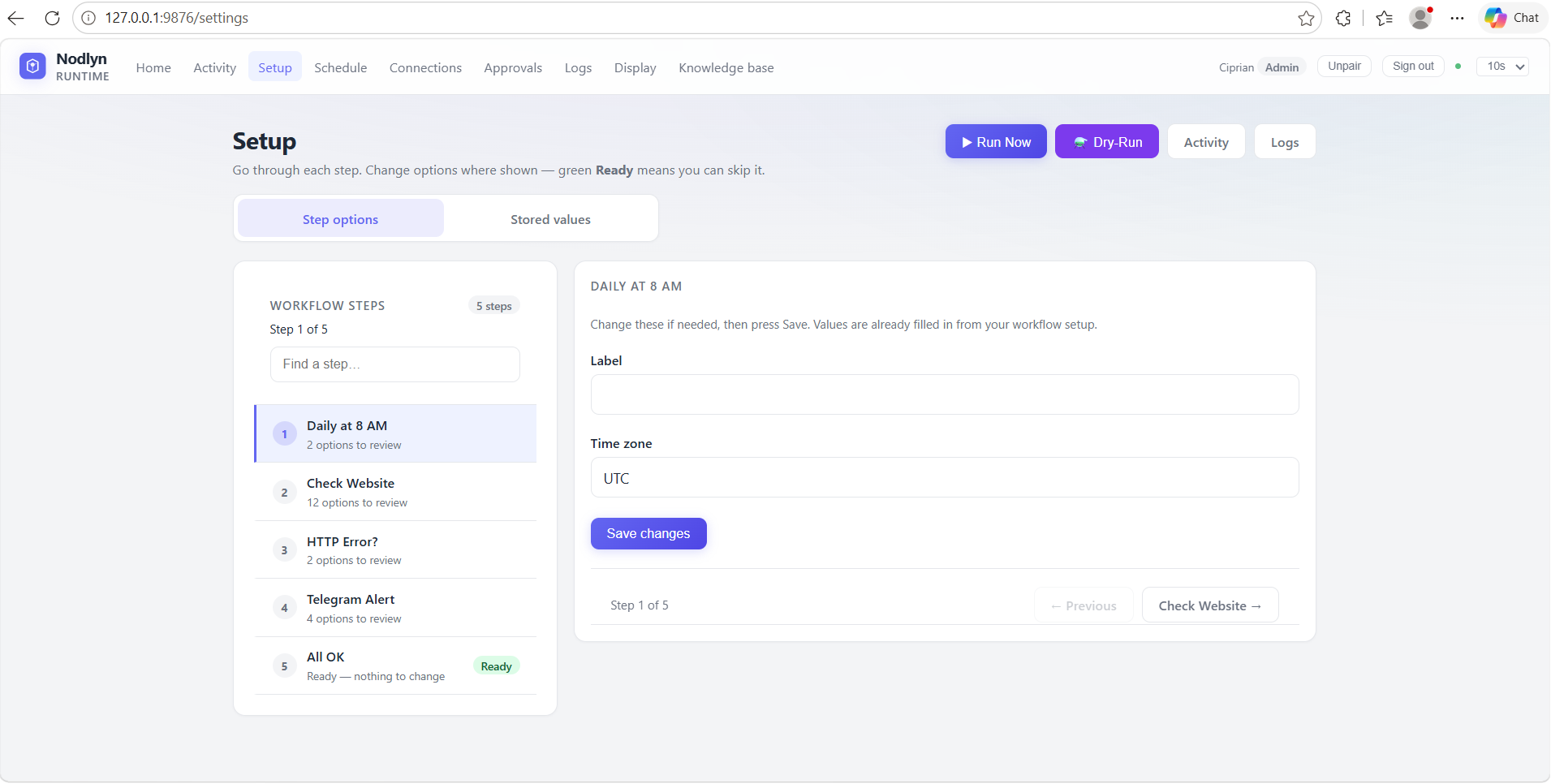
Simulates execution without side effects — no HTTP, email, device commands, or file writes. Conditions, switches, and routing still evaluate so you can test logic safely. Toggle via the ⚗️ toolbar button.

Does Nodlyn support AI agents and MCP tools?

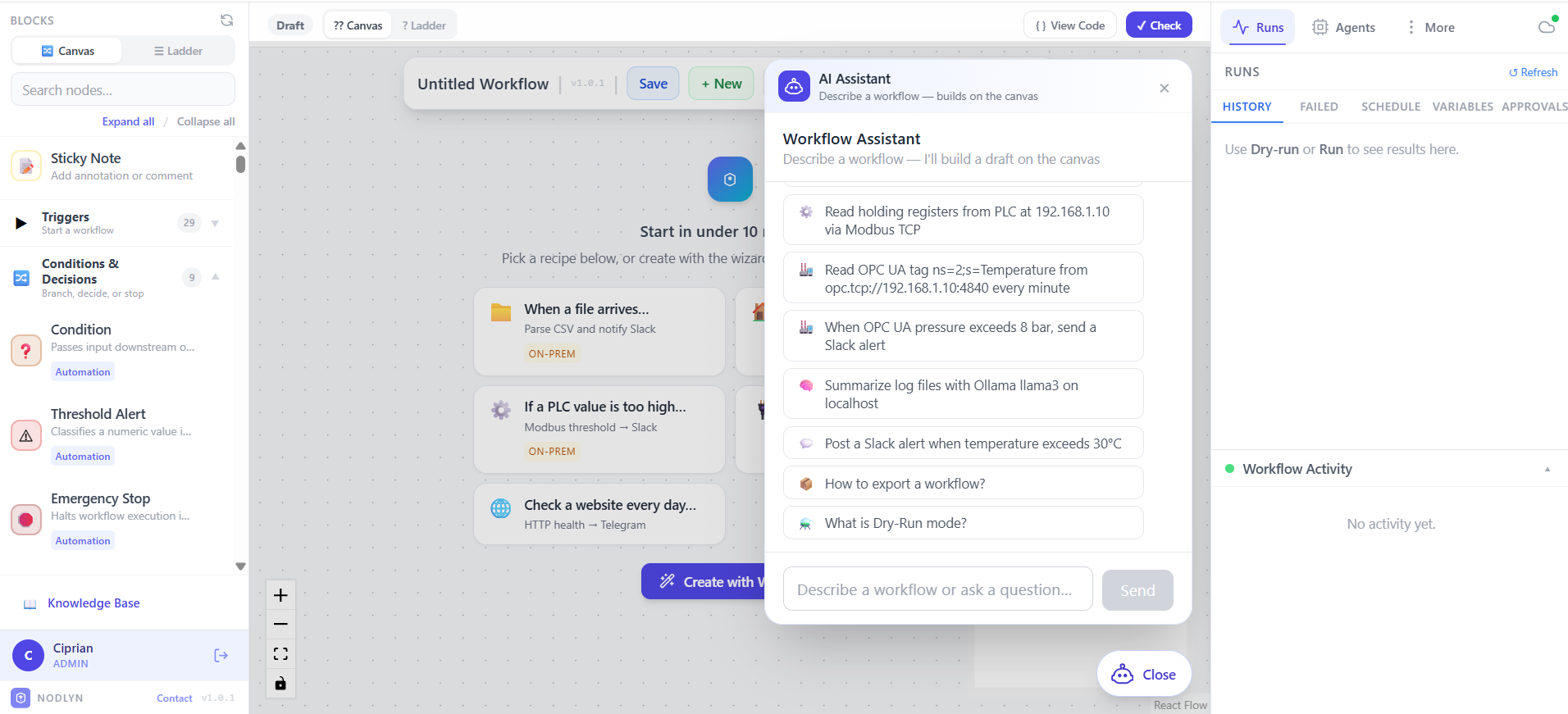
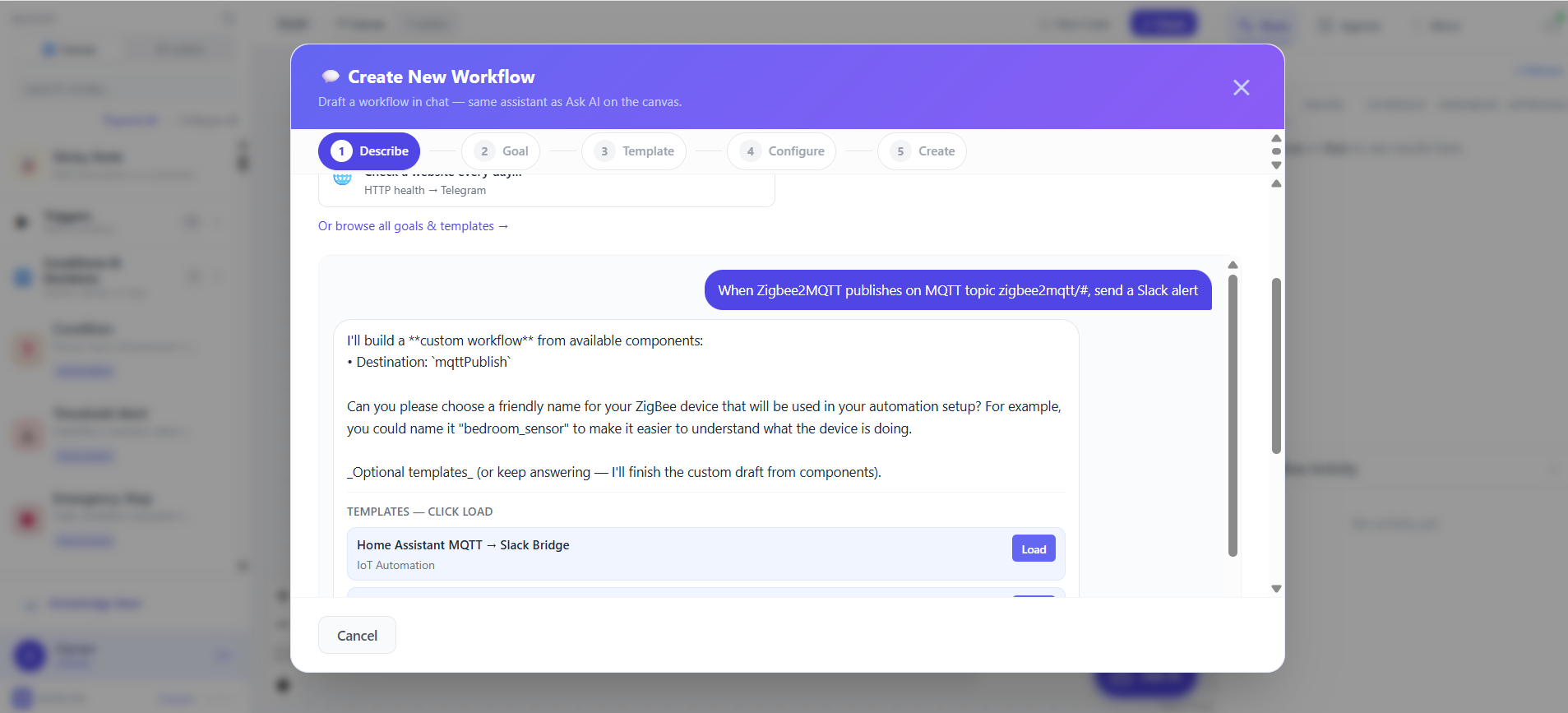
Yes. AI Agent, LLM Call, and MCP Tool nodes connect to OpenAI-compatible models and any MCP server. The built-in AI Assistant and Workflow Wizard generate workflows from plain language.

Which device protocols are supported?

30+ protocols including MQTT, Modbus TCP, OPC UA, BACnet, Siemens S7, LoRaWAN, ZigBee, Z-Wave, Matter, CAN Bus, CoAP, BLE, mDNS, gRPC, Kafka, RabbitMQ, RS232/485, SFTP, SSH, HTTP, and WebSocket.

Do I need an account to use Nodlyn?

No account is required for the free desktop beta. Download, install, and build workflows locally. Cloud admin is optional for browser-based design and remote agent monitoring.

What is a Nodlyn Runtime agent?

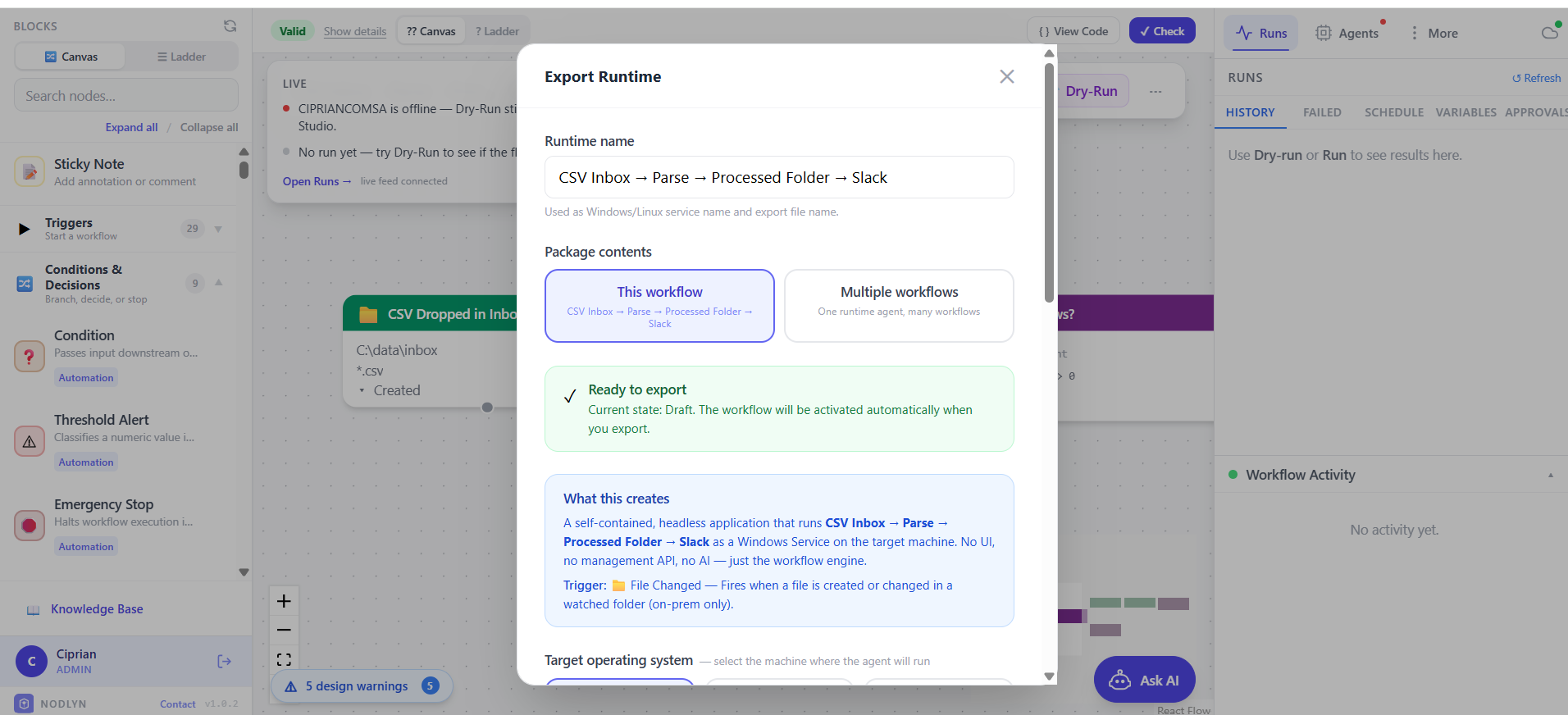
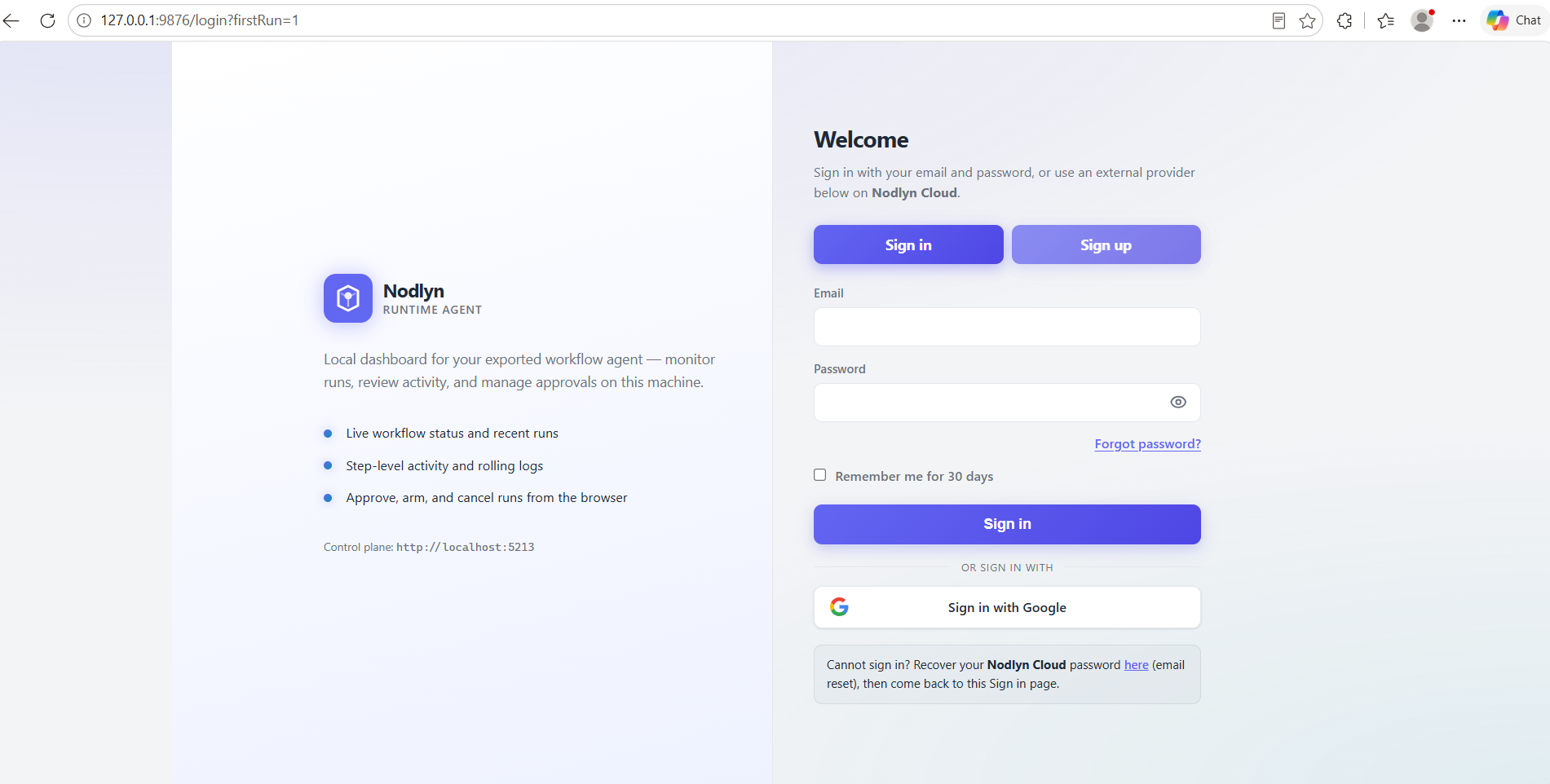
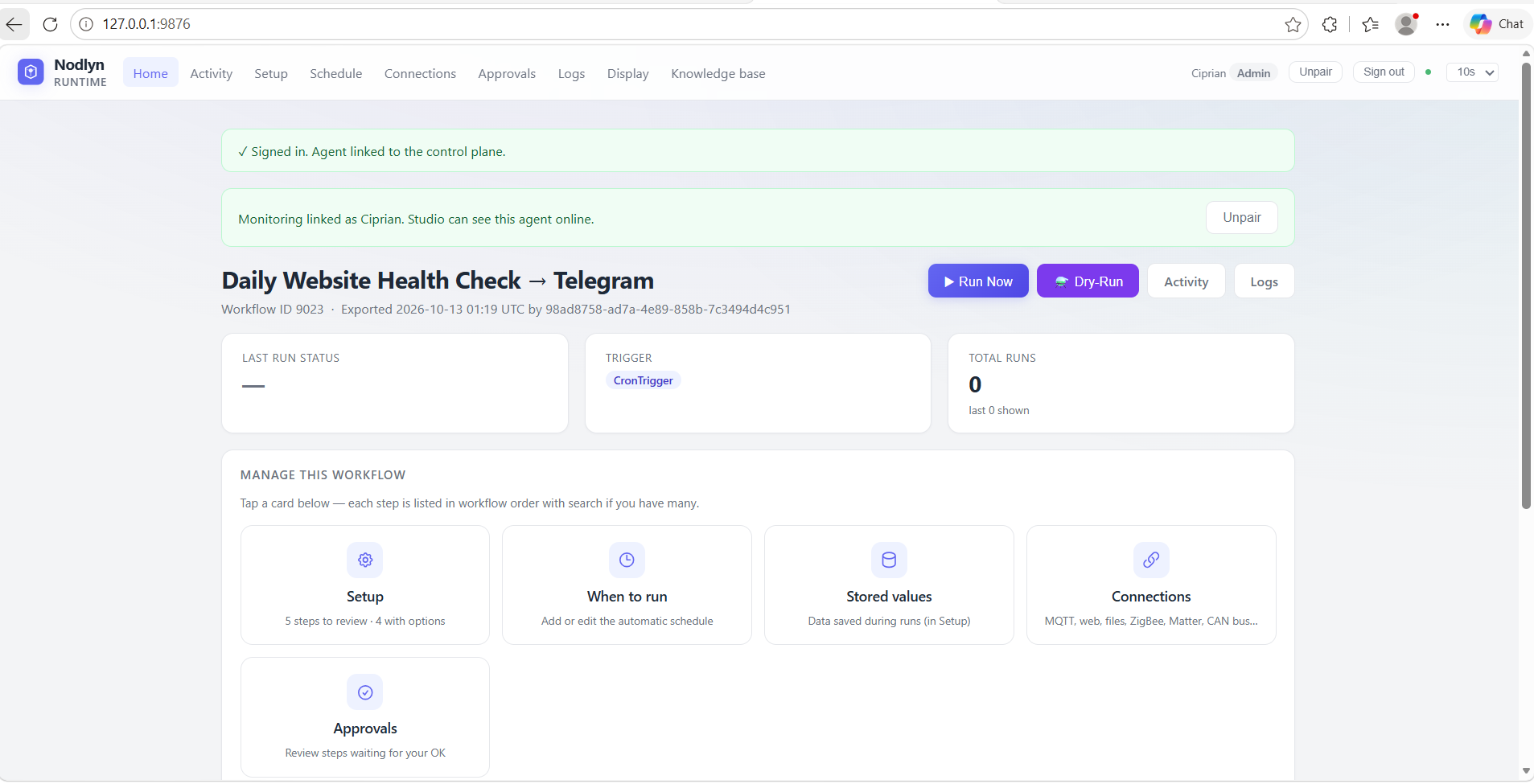
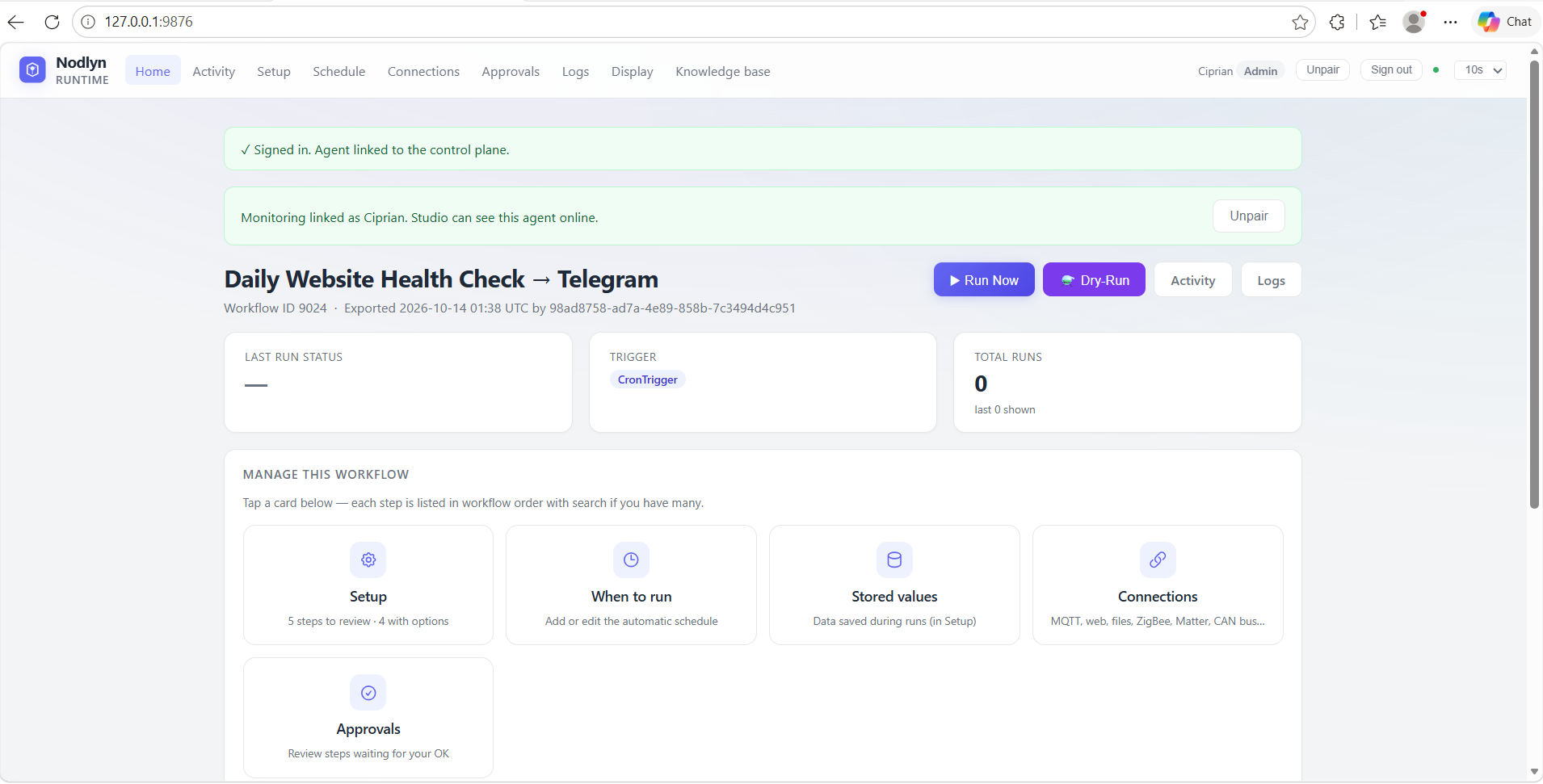
A headless package exported from Studio. Runs workflows 24/7 on a server, Raspberry Pi, or factory PC — with HTTP/MQTT/file ingress and optional cloud heartbeats. Edge deployment guide →

Can Nodlyn automate a smart home?

Yes — ZigBee, Z-Wave, Matter, MQTT, Tuya local, and Bluetooth. Example: motion → AI camera classify → lights on + alert if unknown person. All drag-and-drop.

Can Nodlyn monitor industrial equipment?

Yes. Modbus, OPC UA, BACnet, CAN Bus, and sensor thresholds → database log, SMS alert, ServiceNow ticket. Switch to ladder diagram view for PLC-style monitoring.

Are there approval gates and audit logs?

Yes. Workflows move through Draft → Validated → Approved → Active before export. Role-based access (Admin, Operator, Viewer), AES-256 credential vault, and full audit trail for regulated environments.

Can Nodlyn send SMS, email, and push alerts?

Yes. SMS via Twilio/Vonage, email (SMTP + IMAP inbox triggers), Slack, Telegram, Teams, and FCM push notifications — with template placeholders like {{field}}.

Can Nodlyn process files from SFTP servers?

Yes. Scheduled tasks download CSV/Excel from SFTP, transform and validate, upload results back, and notify on completion — or watch local folders and email attachments for inbound documents.

Does Nodlyn integrate with Grafana for observability?

Yes. Push metrics, query dashboards, create annotations, and trigger alerts when anomalies are detected — combine with webhooks or SMS for on-call engineers.

Can I monitor runtime agents from the cloud?

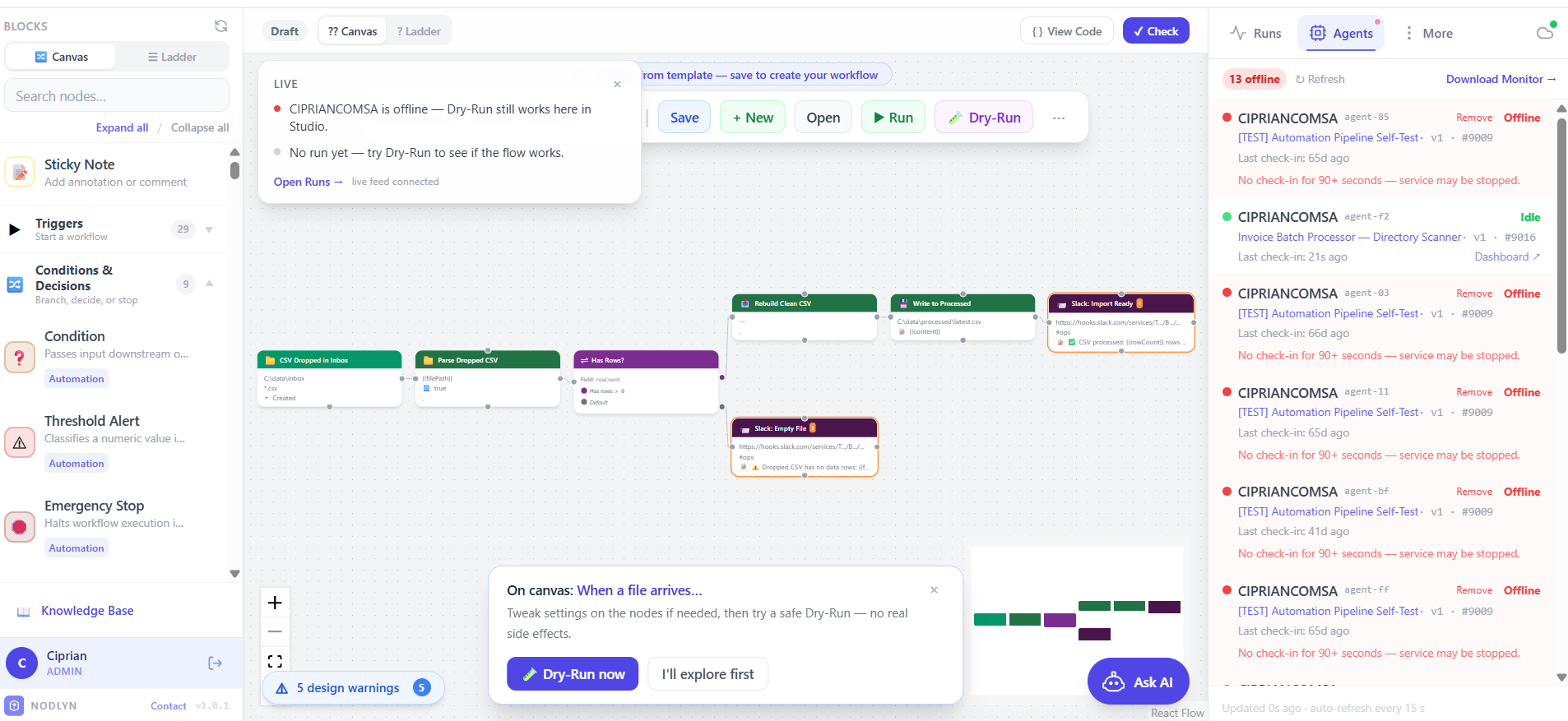
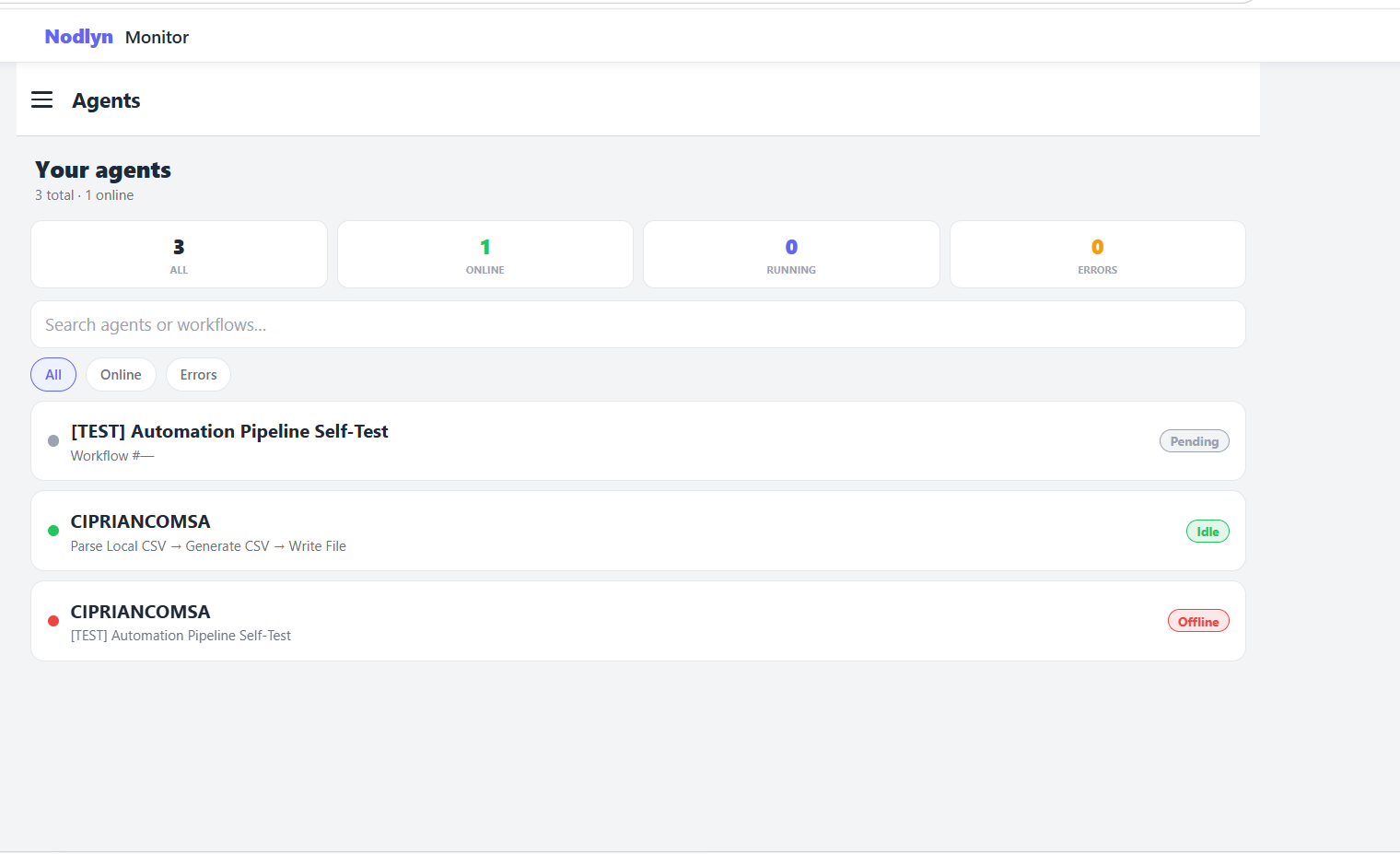
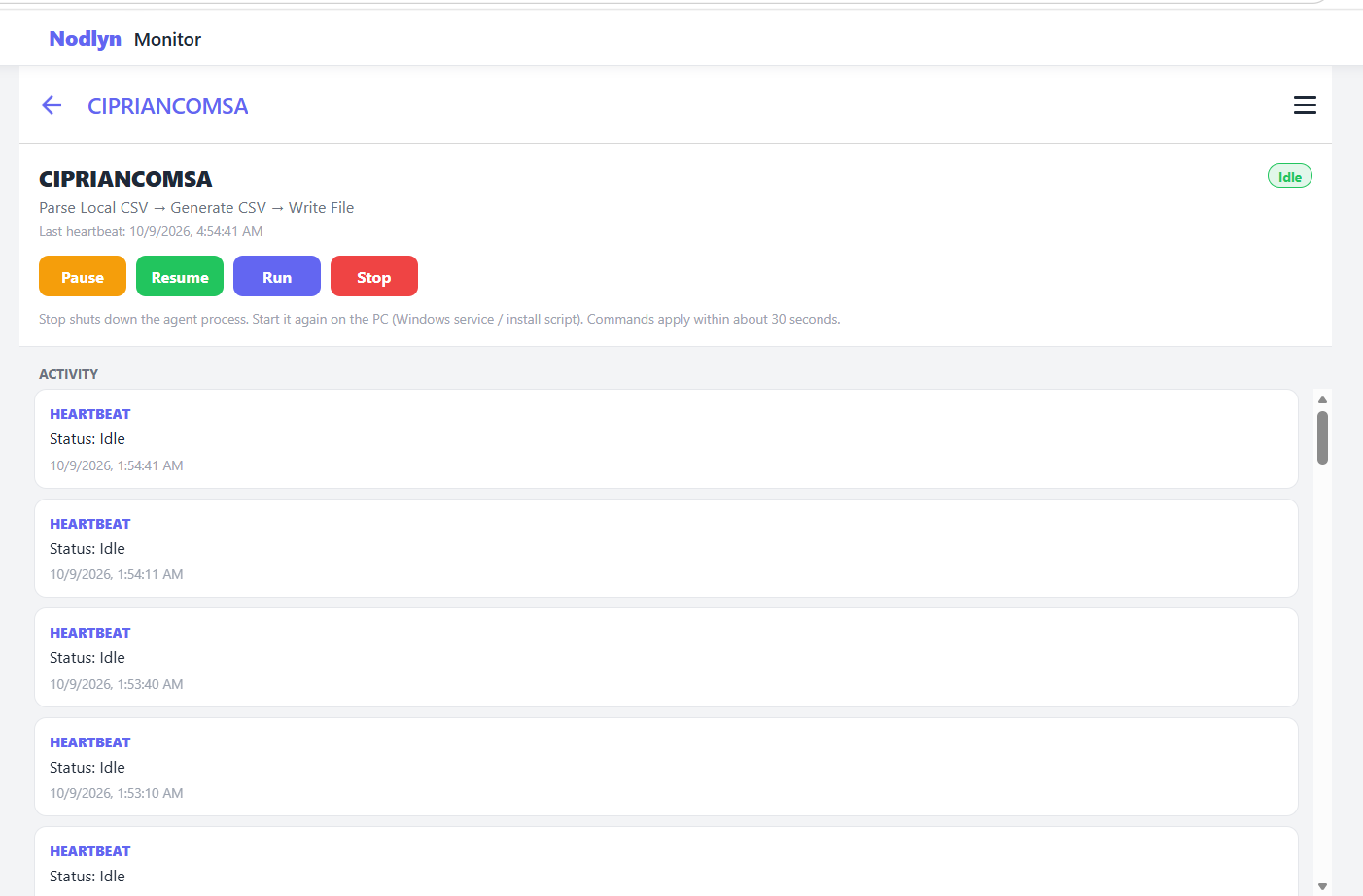
Yes. Export with cloud monitoring enabled, or point agents at on-prem Studio. Heartbeats show online/offline status, logs, and remote pause/resume in the Agents dashboard.

Why Nodlyn?

Built for everyone —
from beginners to pros

You don't need to be a developer to automate. But if you are one, Nodlyn has the advanced tools you expect.

Easy for beginners

No programming knowledge required. Just drag blocks, connect them, and press save. It's as simple as drawing a flowchart on a whiteboard.

Powerful for professionals

Multi-branch logic, conditional switches, parallel execution, scheduled triggers, webhook endpoints, and a full REST API for developers who need control.

On-prem or cloud — your choice

Install on your own hardware and keep data local — no subscription required. Or use the Nodlyn Cloud admin panel to design workflows, monitor agents, and manage instances from any browser.

Who it's for

Built for real-world teams

Same visual builder — different industries and skill levels.

Smart home & IoT

ZigBee, Z-Wave, Matter, MQTT, Bluetooth, CoAP — discover devices, automate scenes, and run locally without sending data to the cloud.

IoT with MQTT guide →

Industrial & edge

Export runtime agents to factory floors and gateways. Ladder diagrams, Modbus, OPC UA, BACnet, CAN Bus, and 24/7 execution off the engineering PC.

Edge deployment guide →

IT & DevOps

Webhooks, cron, HTTP APIs, SFTP pipelines, and shell steps — with audit logs, roles, and approval gates when you need them.

Getting started tutorial →

Business & ops

No code required — drag blocks like a flowchart, use templates, and automate reports, notifications, and integrations.

How it works in 5 min →
Features

Everything included.
Nothing locked.

Every feature is available in the free beta. No tiers, no paywalls.

Visual Drag & Drop Builder

Infinite zoomable canvas. Drag nodes from the library, connect them with edges. Conditions, switches, loops — all visual.

Undo & Redo

Made a mistake? Just Ctrl+Z. Full undo/redo history so you can experiment freely without fear of breaking anything.

User Management

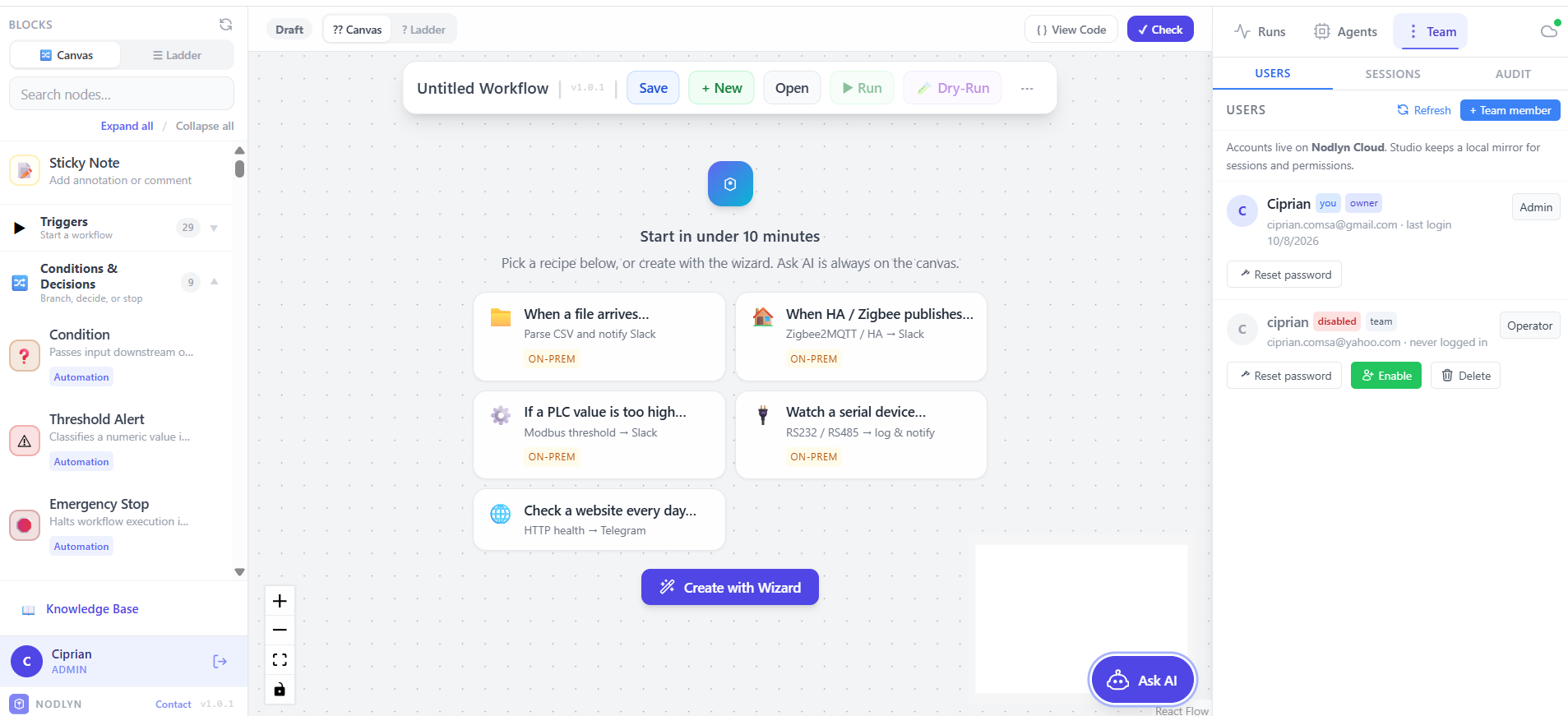
Create user accounts with role-based permissions. Admins, operators, viewers — control who can build, run, or just monitor workflows.

Export Runtime Agents

Export your workflows as standalone runtime packages. Deploy them to remote machines, edge devices, or servers — they run independently.

Custom Components

Build your own nodes as plugins. Package custom business logic, proprietary protocols, or internal APIs into reusable workflow blocks.

AI & MCP Agent Nodes

Drop AI blocks into any workflow. Classify, summarize, call LLMs — or let an autonomous AI Agent discover and use tools from any MCP server.

IoT & Device Control

Connect ZigBee, Z-Wave, Matter, MQTT, Bluetooth, LoRaWAN, and CAN Bus. Auto-discovery finds devices on your network. Pair in seconds, automate in minutes.

350+ Connectors & Blocks

HTTP APIs, SFTP, Grafana, email, IMAP triggers, databases, Azure IoT, Tuya, OCR, PDF extract, barcode scanners, file system, serial ports, Modbus, OPC UA, webhooks — and custom plugins.

Security & Audit

AES-256 encrypted credential vault. Full audit logging. API key authentication. Optional secure tunnel with path-level restrictions.

Real-Time Monitoring

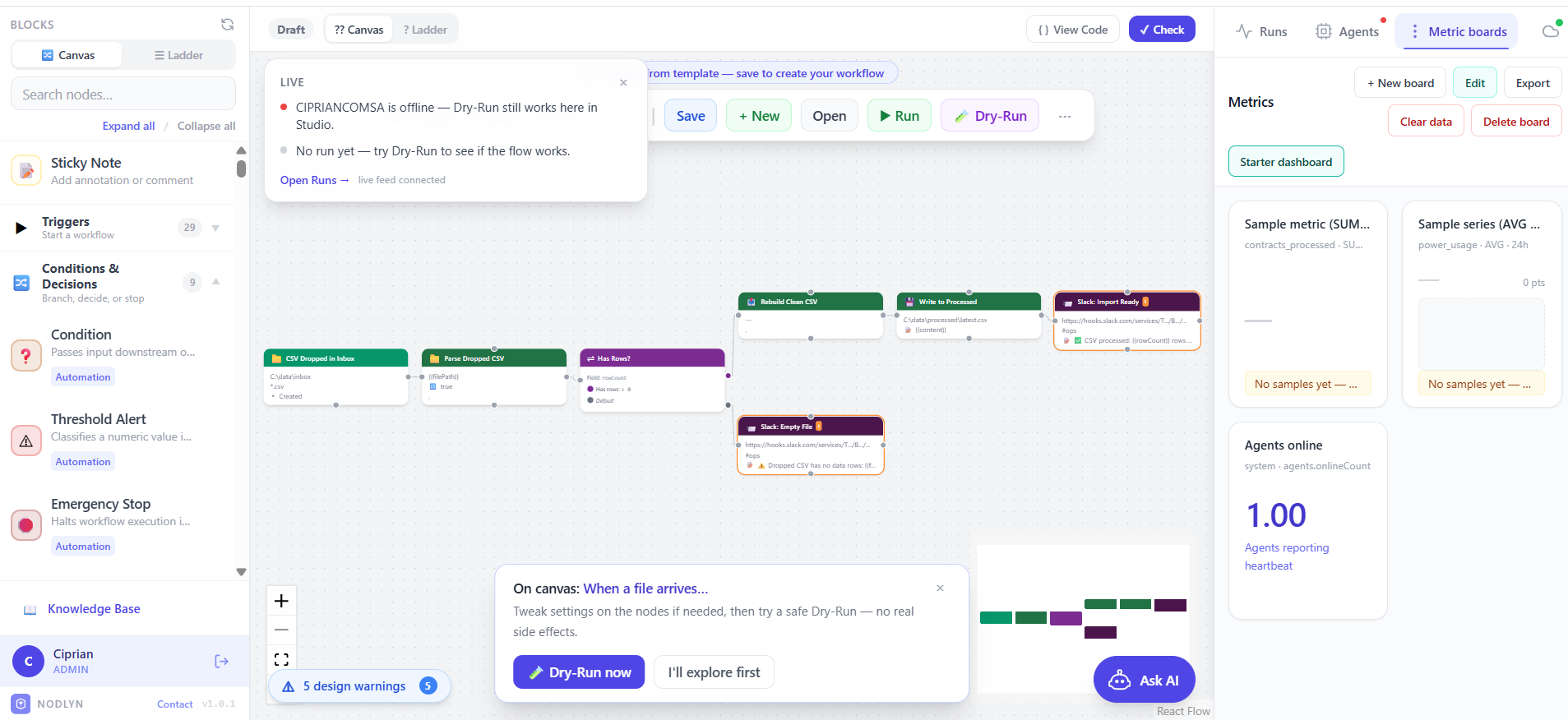
Watch workflows execute live on the canvas — nodes light up as they run. Device health dashboards. Instant failure alerts via email or webhook.

Schedules & Triggers

Run on cron, webhooks, MQTT/Kafka events, file-folder watch, IMAP email, device health changes, or manually. Combine multiple triggers in one workflow.

Sticky Notes & Docs

Add color-coded sticky notes directly on the canvas to document your logic. Leave instructions for teammates or your future self.

Command Line Execution

Run shell commands, scripts, and system utilities directly from your workflow. Capture stdout, stderr, and exit codes — with operator approval for safety.

Ladder Diagram View

Switch between the drag-and-drop canvas and a PLC-style ladder diagram. Contacts, coils, timers — familiar to industrial engineers. Saved per workflow.

Ready-Made Template Library

Start from 230+ pre-built workflows across Business, IoT, AI & MCP, DevOps, document processing, industrial protocols, and more. Browse by category, customize, and deploy in minutes.

Runtime Event Ingress

Exported agents listen for HTTP POST, MQTT, and file-drop events 24/7. ERP, MES, scripts, and sensors trigger workflows on the machine where the agent runs — not through Studio or Cloud.

Lifecycle & Approvals

Move workflows from Draft → Validated → Approved → Active before export. Teams get a clear gate between experimentation and production — especially on factory floors and regulated environments.

Remote Agent Monitoring

Deployed runtimes report heartbeats to on-prem Studio or Nodlyn Cloud. See online/offline status, inspect logs, and send pause or resume commands from the Agents dashboard.

A closer look

See what makes Nodlyn
different

A canvas that feels like a whiteboard

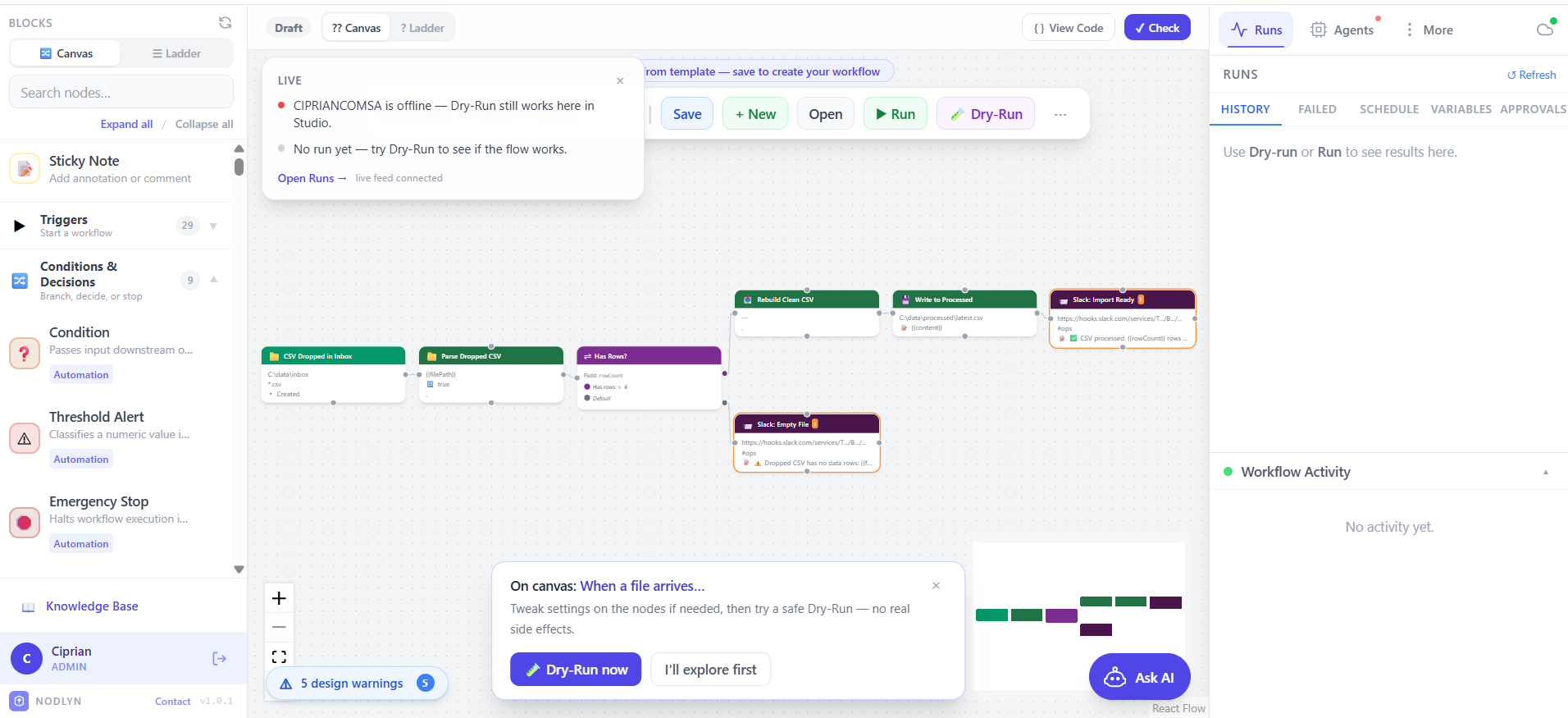
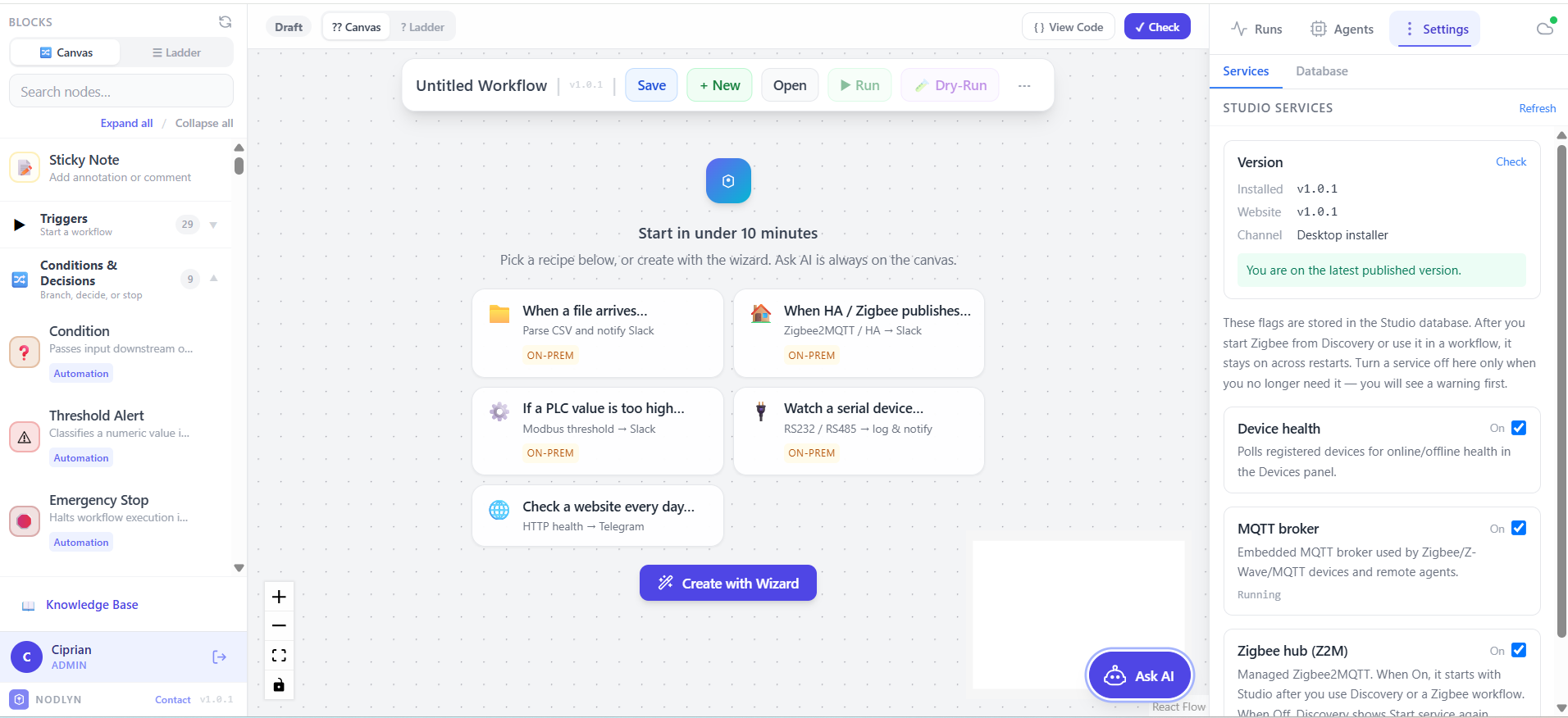
The workflow builder is designed so anyone can use it — not just engineers. Pick a block from the sidebar, drop it on the canvas, and connect it to another block. That's it. You just built an automation.

  • Drag blocks from a categorized library
  • Connect them visually — like drawing a flowchart
  • Undo / redo any change with Ctrl+Z / Ctrl+Y
  • Zoom, pan, minimap for large workflows
  • See your workflow run in real-time with animated nodes
  • Switch to Ladder Diagram view for a PLC-style representation
⚡ Trigger
🔀 Switch
✅ Action A
📧 Action B
↩ Undo ↪ Redo Every change is reversible

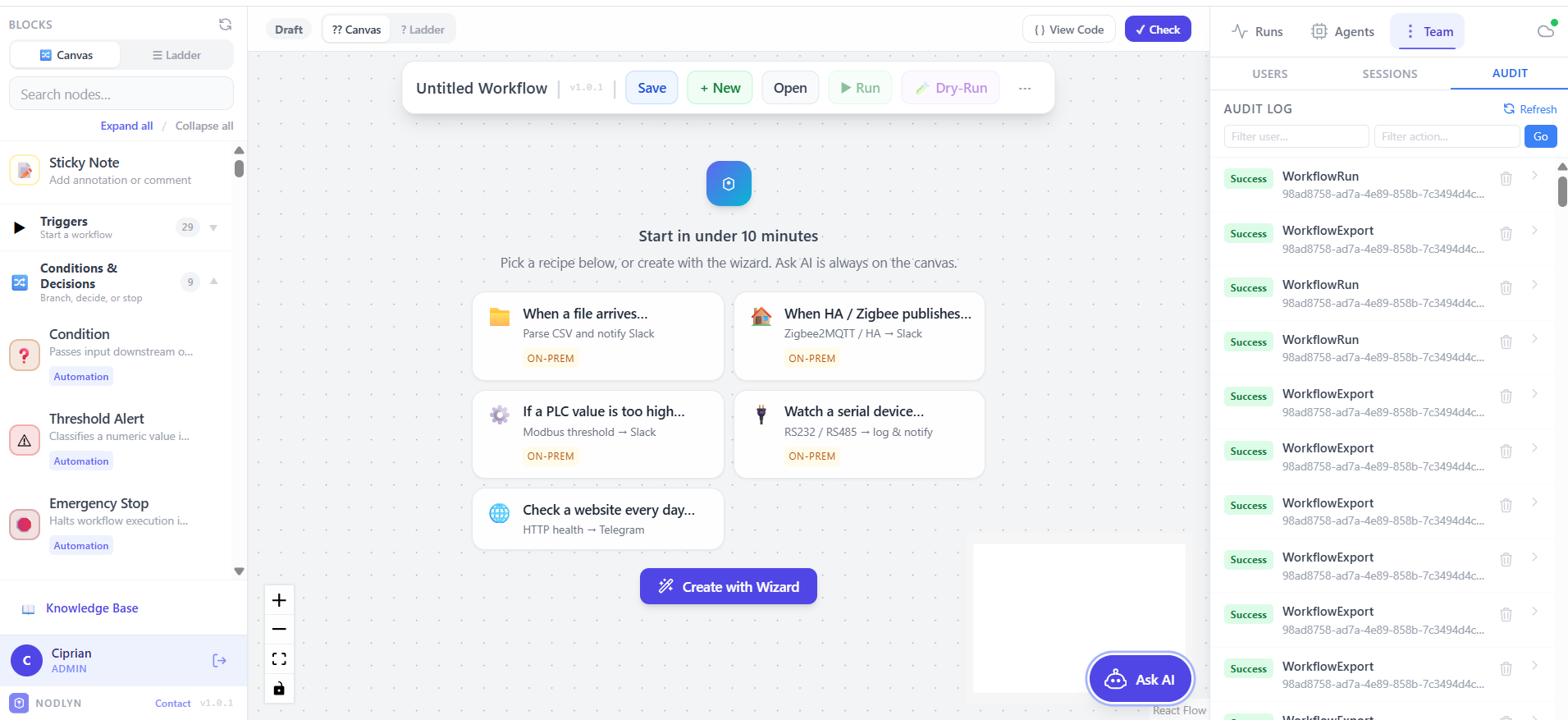
Multi-user with role-based access

Nodlyn isn't just a single-user tool. Add team members with different permission levels. Control who can create workflows, who can only run them, and who can just view the dashboards.

  • Admin — full control: users, settings, workflows
  • Operator — create and run workflows, manage devices
  • Viewer — read-only: monitor executions and device health
  • API keys for service-to-service authentication
  • Full audit log: who changed what, when
AC
Alice Chen Admin
BM
Bob Martin Operator
CL
Claire Lopez Viewer

Export & deploy anywhere

Build your workflow on your desktop, then export the runtime package and deploy it to a remote server, a Raspberry Pi, or an edge gateway. The runtime agent runs independently — no GUI needed.

  • One-click export to a standalone runtime
  • Deploy to Windows, Linux, or macOS
  • Edge devices: Raspberry Pi, industrial gateways
  • Runtime auto-connects back to the main dashboard
  • Monitor remote agents from a single interface
🖥️
Design on desktop
📦
Export runtime
🌐
Deploy anywhere
Windows Server Raspberry Pi Linux VM Edge Gateway

AI Agents that use real tools

Connect any MCP (Model Context Protocol) server and let an AI agent autonomously discover tools, reason about what to do, execute actions, and iterate until it solves your task — all inside a visual workflow node.

  • MCP Tools — discover what any MCP server can do
  • MCP Tool — call a specific tool with dynamic arguments
  • MCP Resource — read data exposed by MCP servers
  • LLM Call — prompt any OpenAI-compatible model (GPT, Claude, Ollama, LM Studio)
  • AI Agent — autonomous loop: discovers tools → reasons → calls → repeats
🔌 MCP Server
🧠 AI Agent
🔧 Tool Call
✅ Answer
Agent discovers tools → reasons → acts → repeats until solved

Extend with custom components

Need a node that doesn't exist? Build your own. The plugin system lets you create custom workflow blocks that package your proprietary logic, internal APIs, or specialized hardware drivers.

  • Write plugins in C# with a simple interface
  • Your plugin appears in the node library automatically
  • Package and share with your team
  • Access any .NET library or NuGet package
  • Hot-reload: drop DLLs into the plugins folder
MyCustomNode.cs
public class MyCustomNode : IWorkflowStep
{
    public async Task<StepOutcome> ExecuteAsync(...)
    {
        // Your logic here
        var result = await CallMyApi();
        return StepOutcome.Ok(result);
    }
}

Run any command from a workflow

The Command Line node lets you execute shell commands, scripts, and system utilities directly from your workflow canvas. Capture output, check exit codes, and branch your logic accordingly.

  • Run any OS command: ping, curl, python, dotnet, etc.
  • Capture stdout, stderr, and exit code as workflow data
  • Template arguments with {{field}} and {{$var.key}}
  • Configurable timeout and working directory
  • Dangerous security level — requires operator approval
⚡ Trigger
⬛ Run Command
🔀 Exit Code?
stdout + stderr + exitCode → downstream nodes

Two ways to see your workflow

Switch between the standard drag-and-drop canvas and a PLC-style ladder diagram — right from the editor toolbar. Each workflow remembers its preferred view mode, and you can change it anytime.

  • Canvas view — infinite zoomable flow editor with drag & drop
  • Ladder view — contacts (NO/NC), coils, timers — familiar to PLC engineers
  • Power rails, rungs, and parallel branches rendered as SVG
  • View mode saved per workflow — persists across save and reload
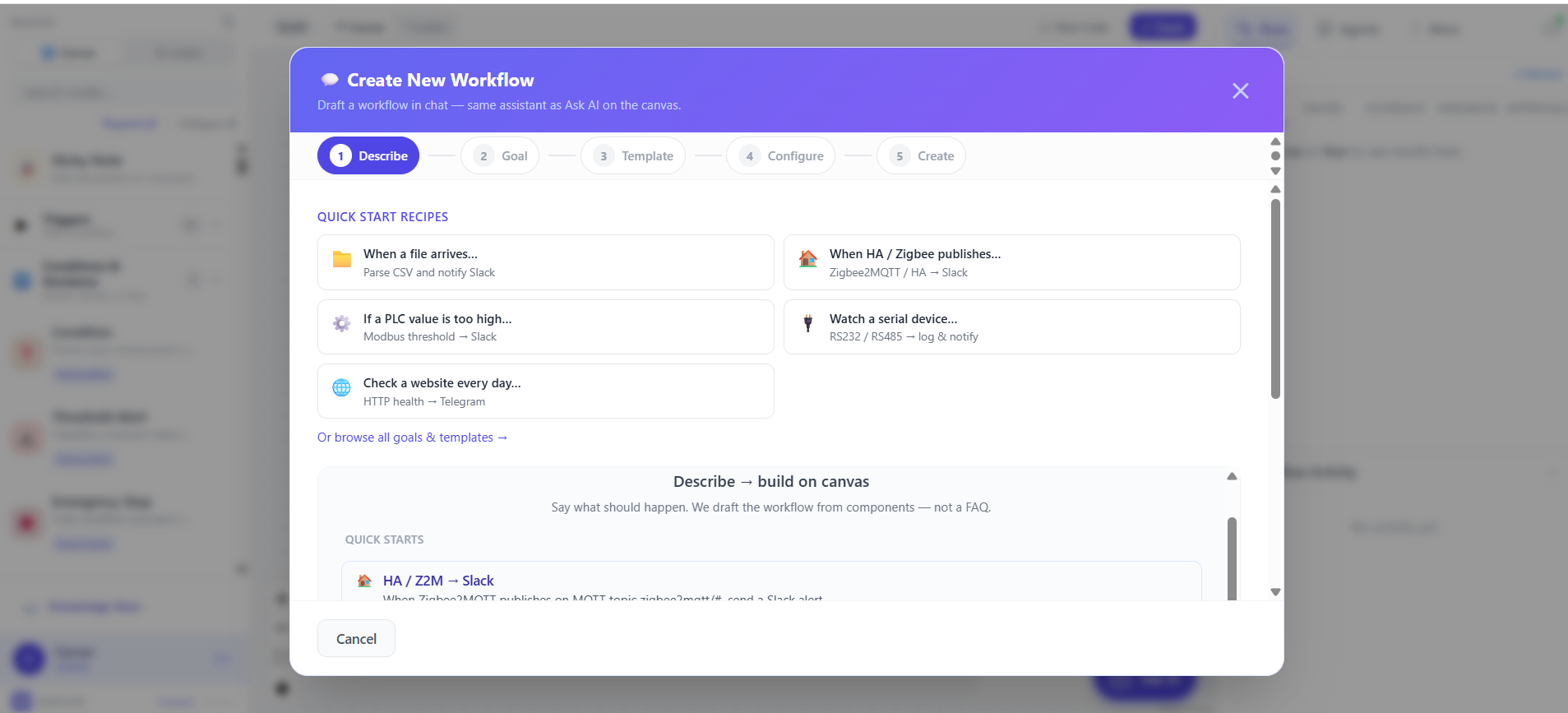
  • Choose the view mode in the Workflow Wizard or AI Assistant
─┤ Motion ├─ ── ◯ Alarm
─┤/ Override ├─ ── □ TON 5s
PLC-style ladder diagram — contacts, coils & timers
Use cases

What can you build
with Nodlyn?

Here are real examples of what people automate with Nodlyn.

Smart Home

Motion sensor detects activity → AI classifies camera feed → turn on lights + send notification if unknown person detected.

Industrial Monitoring

Temperature sensor exceeds threshold → log to database → send SMS alert to maintenance team → create incident ticket. View the whole flow as a ladder diagram.

Hospitality

Guest checks in → adjust room temperature → unlock smart lock → send welcome email with Wi-Fi password.

Business & Inventory Automation

Webhook receives an order or barcode scan triggers a workflow → validate with AI → update inventory → send customer confirmation or reorder alert when stock runs low.

Agriculture

Soil moisture drops below level → activate irrigation pump → log water usage → send daily summary report.

Security

Door sensor triggers at night → capture camera snapshot → AI checks for threats → send alert with photo to phone.

AI Agent Automation

User asks a question → AI Agent discovers MCP tools → searches databases, reads files, calls APIs → returns a structured answer automatically.

SFTP File Processing

Scheduled task downloads CSV files from SFTP server → transform and validate data → upload processed results back to SFTP → send completion notification.

Document & Invoice Processing

Folder watch or IMAP email receives PDFs/images → extract text or OCR → parse invoice fields → store in database. Built-in templates, zero code.

Observability & Grafana

IoT sensors push metrics to Grafana every minute → AI detects anomalies → annotate dashboard with alerts → notify on-call engineer via webhook.

Blog

Latest from the Blog

Guides, tutorials, and deep dives into building visual automations.

View all articles →
Cloud Platform

Two ways to use Nodlyn —
On-Prem or Cloud

Choose the deployment model that fits your needs. Same workflow engine, same visual builder — different hosting.

On-Premises (Desktop)

Install on your own machine. Full control over your data, devices, and network. Connect IoT hardware, run AI models locally, export runtime agents to edge devices.

  • ✅ Full device & protocol support — ZigBee, Z-Wave, Matter, MQTT, Bluetooth, Modbus, OPC UA, BACnet, CAN Bus, LoRaWAN, and more
  • ✅ Runtime export & edge deployment
  • ✅ Local AI models (Ollama, LM Studio)
  • ✅ DDNS / Tunnel for remote access
  • ✅ Data never leaves your machine
  • ✅ No account required

Cloud Admin Panel

Design and manage workflows from your browser. Monitor deployed runtime agents, manage instances, and collaborate with your team — no software installation needed.

  • ✅ Visual workflow builder in the browser
  • ✅ Monitor runtime agents & instances
  • ✅ Multi-user with role-based access
  • ✅ Cloud-hosted AI integrations
  • ✅ No installation — works in any browser
  • ✅ Register, link & manage on-prem agents remotely
Free Beta — All Features Included

Download Nodlyn
for free

No account, no credit card, no limitations. Get the full platform today.

Or use Nodlyn Cloud — no download needed, design workflows in your browser.
v1.0.0-beta Windows 10+ (64-bit) ~144 MB No account required
⚠ Windows SmartScreen may show a warning because the installer is not yet digitally signed. Click "More info""Run anyway" to proceed safely.
SHA-256: 504AA146212B870AFB77E186805864B678628447C4B72879DDA457736144D47C
Beta Program

We build it together with you

Nodlyn is in active development. Your feedback shapes the product.

Custom Component Development

Need a connector or action block that doesn't exist yet? We offer direct support for building new custom components. Describe your use case and we'll develop, test, and integrate it together with you — making sure it works exactly as you need it.

Feature Requests Welcome

Have an idea for a new feature? Send us your requirements through the contact form. Every request is reviewed and prioritized. We implement new features based on available development time and access to physical devices when hardware integration is needed.

Beta — Report Issues

As a beta product, you may encounter occasional bugs or unexpected behavior. We appreciate every report — use the contact form below to let us know what happened, and we'll investigate and fix it as quickly as possible. Your reports make Nodlyn better for everyone.

Get in touch

Questions? Feedback?
We'd love to hear from you.

Whether you need help getting started, want to request a custom component, report a bug, or suggest a new feature — drop us a message. We respond to every inquiry personally.

🧩
Custom components Request new blocks — we build and test them with you
🐛
Bug reports Found an issue? We'll investigate and fix it
💡
Feature requests Suggest new capabilities — we'll review and prioritize
General support Questions about setup, usage, or capabilities
Nodlyn Assistant
Ask me anything about Nodlyn
Hi! 👋 I'm the Nodlyn assistant. Ask me about the product, workflow components, connectors, agent runtime, agent capabilities, deployment, and more. If I don't know an answer, I'll point you to our contact form.